


Moon VPN
4.53.00K Reviews
App Specs
- Version
- 31.12026m
- Updated On
- License
- Free
- Downloads
- 1,000,000+
- Developer
- Azul Software
- Categories
- Tools
- Platform
- Android
Screenshots
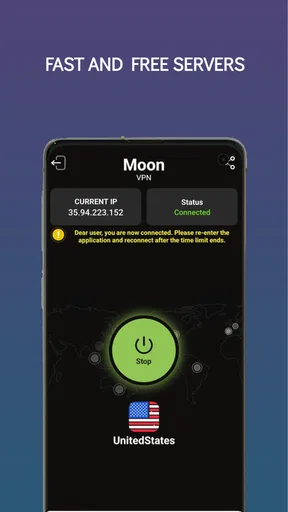
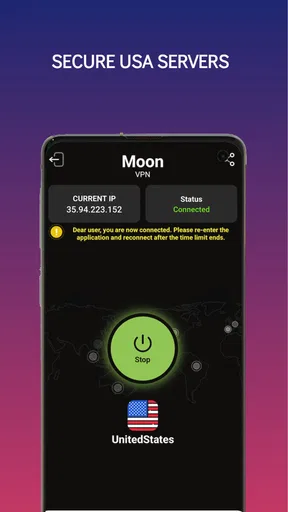
 Analysis by AppCompare
I approach a VPN as a practical tool, not a magic shield. What matters to me is whether it is easy to turn on, useful for the places I connect from, and a sensible fit for what I actually do online. Moon VPN is a free Android privacy tool from Azul Software, and its straightforward focus makes it worth considering if you want a simple way to route everyday browsing through a VPN.
Choose by the job you need done
Before installing any VPN, I’d decide what I expect it to solve. If I mainly want a quick connection for browsing on public Wi-Fi or a more private-feeling session while travelling, a basic app may be enough. If I need detailed control over locations, advanced connection settings, or a service I can use across several kinds of devices, I would compare more specialised options before settling on this one.
Moon VPN’s store summary points to US servers, private browsing, and unlimited access. That makes it easiest to assess as a simple, US-focused choice rather than a tool for someone who needs to select from a large range of regions. A US connection can be handy when I’m away from home and want a consistent browsing setup, but it is not the same as having broad location choice for every trip or task.
Where Moon VPN makes sense
The main appeal is a low-friction starting point. I wouldn’t expect a new VPN user to know what protocols or routing options mean before getting online, and an app in the tools category should make its basic job easy to understand. Moon VPN is free, has an Everyone content rating, and has reached over a million installs. Its average rating is 4.5 from around 28,000 ratings, which suggests plenty of people have found it worth trying, though popularity alone can’t tell me whether it suits my own needs.
A realistic use is opening the app before joining a café’s Wi-Fi, connecting, and then checking email or reading the news. I’d still avoid entering sensitive information on a network I don’t trust just because a VPN is active; a VPN changes how traffic is routed, but it does not make every website safe or remove the need for careful account security. That distinction is important for anyone expecting a one-tap privacy app to handle every online risk.
What to compare before switching
Compared with browser privacy modes, a VPN is a different kind of tool: private browsing generally affects what is saved locally in the browser, while a VPN routes a connection through its service. Compared with a paid VPN aimed at frequent travellers or advanced users, a free app may be more appealing for casual use, but I would weigh the need for wider location choice and more detailed controls. I would also read the app’s current privacy terms before relying on any VPN for sensitive work, since a VPN provider becomes part of the route your traffic takes.
There is a small but useful habit that can make a basic VPN easier to live with: decide when you want it on before you need it. For example, I’d connect before opening a banking or work session on shared Wi-Fi, then check that the VPN still shows as connected after moving between networks. If an app disconnects during a handoff, reconnecting before continuing is more reliable than assuming the protection carried over automatically.
Worth Reading Before You Choose

EA SPORTS FC Mobile 26 Is a Bigger Football Game, but It Takes Time

Flipboard Shows What News Apps Must Do Beyond the Feed

Switching to Android Auto Means Rethinking Your Driving Routine

Google Calendar Makes a Crowded Week Easier to Manage

Ludo King Makes the Most of the Minutes Between Plans

Baby Panda World Brings Quick Play to Modern Phones, but Its Game Library Feels Busy
Moon VPN is currently version 31.12026m and requires Android 6.0 or later. Azul Software released it on April 29, 2025, and it has around 3,000 written reviews. These details help identify the app and its current Android compatibility, but my recommendation still depends on whether its simple, US-server focus matches your routine.
Getting Started with Moon VPN
The first thing I noticed when downloading Moon VPN was how straightforward the setup was. I’m not the most tech-savvy person out there, but this app made me feel like a pro. A few taps and I was ready to go—no complicated tech jargon or endless forms to fill out.
Once installed, the interface was a breath of fresh air. It’s clean, intuitive, and doesn’t bombard you with unnecessary information. The main screen gives you everything you need at a glance—a big connect button, server location options, and a few settings to tweak if you’re feeling adventurous. Simple, yet effective.
Performance and Speed
Alright, let’s talk about performance because, let’s be honest, speed is what we’re all here for. I tried Moon VPN on both Wi-Fi and cellular data, and I have to say, I was pleasantly surprised. The connection was stable, and I barely noticed any lag while streaming my favorite shows or scrolling through social media.
Switching between servers was a breeze too. I tested out a few different locations—US, UK, and even Japan—and the transitions were seamless. It’s like having a teleportation device for your internet connection, minus the sci-fi drama.
Features Worth Mentioning
One of the standout features of Moon VPN is its strong encryption. In a world where data breaches are becoming the norm, knowing that your data is securely encrypted gives a sense of peace. Plus, they have a no-logs policy, which means they’re not keeping tabs on your online activities. For someone who values privacy, that’s a big win.
Another cool feature is the automatic kill switch. Whenever the VPN connection drops unexpectedly, it automatically shuts down your internet traffic to prevent data leaks. It’s like having a safety net without even realizing it’s there.
Is It Worth the Hype?
If you’re on the fence about whether or not to try Moon VPN, I say go for it. It’s got a solid mix of performance, ease of use, and robust security features. Whether you’re a newbie to VPNs or a seasoned pro, this app makes the whole process as smooth as butter.
Plus, they offer a free trial, so you can test the waters without any commitment. It’s like getting a sneak peek at a movie before deciding to buy the ticket.
In conclusion, Moon VPN is definitely worth checking out if you’re in the market for a reliable VPN service. It ticks all the right boxes and then some, making it a great tool for keeping your online adventures safe and sound. So, go ahead and give it a whirl. Your privacy will thank you.
Make the first session a useful test
Rather than judging a VPN by one quick connection, I’d try it in the places I actually use my phone. Start on your usual Wi-Fi, then test mobile data and a familiar site or app. This gives you a practical baseline for whether everyday browsing still feels comfortable. If a page loads oddly or a service asks you to verify your account again, disconnect briefly and compare; that helps distinguish a VPN-related inconvenience from a general network issue.
I’d also check what “unlimited access” means for my own routine instead of treating it as a promise that every service will work. Streaming platforms, work tools, and websites can respond differently when traffic comes through a VPN, and access can depend on the service itself. If a particular app is essential, test it before relying on Moon VPN for a time-sensitive task.
Who should look elsewhere
This is not my first pick for someone whose main goal is choosing among many countries or fine-tuning a connection for a specialised job. A traveller who needs a particular region, or a power user who wants granular controls, should compare VPNs built around those needs. Likewise, if the connection noticeably slows a video call or makes a work app unreliable, convenience is no longer a good trade; switching the VPN off for that task or choosing another service may make more sense.
There is also a difference between a VPN and anonymity. It can help protect traffic on an untrusted network, but it does not prevent tracking through logged-in accounts, cookies, or information voluntarily shared with websites. I’d pair it with strong, unique passwords and careful link habits rather than relying on the VPN alone. For highly sensitive activity, I would look closely at the provider’s privacy terms and consider whether a more transparent, independently documented service better fits my risk level.
Keep the switching cost low
Trying a free VPN is relatively easy, but switching later still takes a little attention. I’d note which apps behave differently while connected, and whether I need the VPN on continuously or only on unfamiliar networks. That simple check helps avoid the frustrating cycle of blaming the VPN whenever a site is slow, then forgetting that it is still active during a different task.
If you move from another VPN, turn off the old connection before testing Moon VPN so you can tell which service is handling the traffic. Then try a familiar routine—checking messages, loading a map, or joining a call—rather than changing several network settings at once. This makes it easier to spot a genuine compatibility issue and decide whether the simpler setup is worth keeping.
My recommendation
I’d recommend Moon VPN to an Android user who wants a straightforward, free option for ordinary browsing and is comfortable with its US-server emphasis. Its simple setup is a genuine advantage if a complicated VPN dashboard would put you off using one at all. I would not choose it without comparison if I needed broader location flexibility, advanced configuration, or a provider I had evaluated in depth for sensitive work.
My practical advice is to try it during a low-stakes browsing session first, then see how it fits your own Wi-Fi and mobile habits. Keep your expectations realistic: a VPN is one layer of privacy, not a substitute for secure accounts or careful browsing. If that balance suits you, Moon VPN is an approachable place to start; if it does not, moving to a more specialised alternative is a sensible decision, not a failure of the app.
Pros
- User-friendly interface
- easy to navigate.
- Fast connection speeds for smooth browsing.
- Wide range of server locations worldwide.
- Strong encryption ensures privacy and security.
- No logs policy protects user data.
Cons
- Limited free version features available.
- Occasional connection drops reported.
- Some servers may have slower speeds.
- Customer support response can be slow.
- Subscription cost may be high for some users.
FAQs for Moon VPN
What platforms is Moon VPN available on?
Moon VPN is available for both Android and iOS platforms. You can easily download it from the Google Play Store for Android devices or the Apple App Store for iOS devices. Ensure your device meets the minimum operating system requirements for a smooth experience.
How secure is Moon VPN?
Moon VPN provides robust security features, including military-grade encryption to protect your data. It also offers a strict no-logs policy, ensuring your online activities remain private. Additional security features like a kill switch and DNS leak protection further enhance your online safety.
Can I access geo-restricted content with Moon VPN?
Yes, Moon VPN allows you to bypass geo-restrictions and access content from different regions. With a wide range of server locations, you can stream, browse, and enjoy media from anywhere in the world without limitations. This makes it ideal for accessing international streaming services.
Does Moon VPN offer a free trial or a money-back guarantee?
Moon VPN typically offers a free trial period for new users to explore its features before committing to a subscription. Additionally, it provides a money-back guarantee, usually within 30 days, allowing you to request a refund if you are not satisfied with the service.
How does Moon VPN impact internet speed?
Using Moon VPN may result in a slight reduction in internet speed due to the encryption process. However, it is designed to optimize performance and minimize speed loss. Many users find the impact negligible, especially when connected to nearby servers, ensuring smooth browsing and streaming.


